QNAP Systems Inc. has announced the availability of the new Signage Station app for its Turbo NAS series, providing a seamless solution for designing, publishing, and sharing multimedia contents with access controls. Users can download the iArtist Lite software to design the digital signage content, upload to the Turbo NAS, and share the contents using the Web-based Signage Station. Visitors can view the content on smart phones, tablets and laptops, and share by emails or social networking sites.
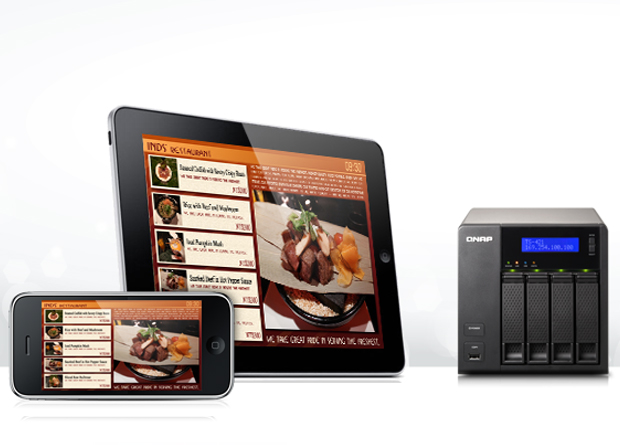
People use their mobile devices to operate more and more applications every day thanks to the popularity and decreased price of tablets and smart phones. The Signage Station introduces an easy way to integrate a digital signage player on the Turbo NAS for a variety of uses, including menus & advertising boards for businesses, and personal animated resumes & creative diaries for home users.
“It simplifies the management of traditional digital signage displays on the Turbo NAS, and provides Turbo NAS users with a new & free solution to promote their business or personal profile,” said Sam Wang, product manager of QNAP.
The Signage Station allows users to quickly design animated contents and easily share them online. Content administrators can even set up access permissions to the original and editable digital signage content for designers to edit & easily share via the Turbo NAS.
Designing the animated contents is easy. With the free iArtist Lite software, it is easy to set up a resolution for the canvas and embed elements including videos, animated texts, images, and PowerPoint presentations via drag-n-drop. The timeline and layer design allows users to flexibly arrange the order of objects for playback and transition effects.
The Signage Station also provides beginners with 52 templates to help quickly complete the animated content design. A rich set of widgets, including audio, RSS, and clock, are also available to further enhance the content.
The Signage Station app is available to download from the QTS 4.0 App Center. For more information, visit http://www.qnap.com/i/station/en/signage.php.