In a busy office, printing problems rarely happen at a convenient time. A large report needs to be ready before a meeting. Contracts need to go out. Customer materials are waiting to be produced. Then the printer slows down, supplies need replacing, or someone has to stop what they are doing to deal with the machine.
These may seem like small interruptions, but in workplaces that print large volumes every day, they can quickly add up.
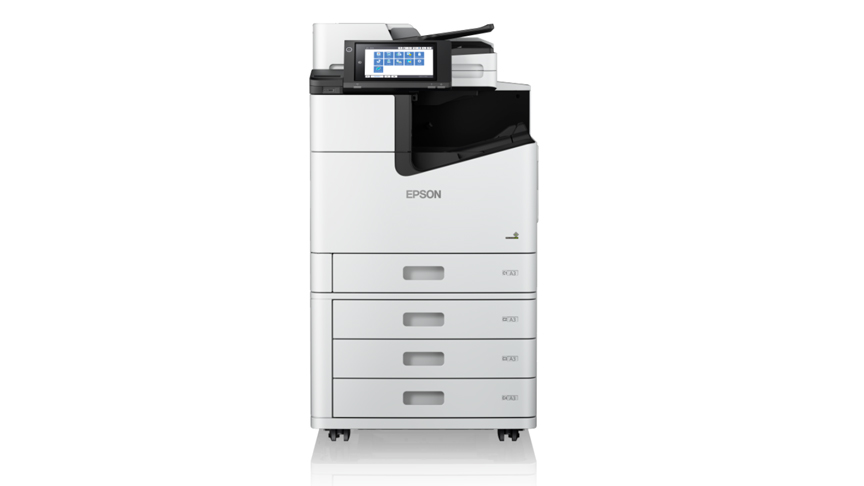
This is where the Epson WorkForce Enterprise WF-C21000 A3 multifunction printer is designed to help. Built for demanding office environments, it combines high-speed printing, high-capacity output, Epson’s Heat-Free Technology, and document finishing functions to help teams keep work moving with fewer interruptions.
When Every Minute Counts
Large print jobs can easily become a bottleneck when teams are working against deadlines.
The WF-C21000 prints at speeds of up to 100 images per minute for both simplex and duplex printing. In practical terms, that means the printer maintains the same speed whether employees are producing one-sided documents or double-sided reports. Teams can move through large print jobs quickly without slowing down when switching formats.
That speed becomes especially valuable in offices where printing happens throughout the day, from administrative documents and internal reports to customer-facing materials.
Fewer Stops in the Middle of the Workday
Speed matters, but what matters just as much is how long the printer can keep running before anyone needs to intervene.
The WF-C21000’s high yield ink cartridges can print up to 100,000 pages in black and 50,000 pages in color without interruption. Because of the high yield, there is no need to repeatedly replace inks, and less time is spent checking or managing the printer during large jobs.
With fewer disruptions at the printer, teams can stay focused on the work it is meant to support.
Print Without the Warm-Up Wait
Another delay can happen before the first page even comes out.
The WF-C21000 uses Epson’s Heat-Free Technology, which does not require heat during the ink ejection process. With no warm-up time needed, printing can begin immediately after a job is sent.
The technology also uses less power than laser technology and requires fewer replacement parts, helping businesses manage energy use while reducing maintenance needs.
For employees, the benefit is straightforward: less waiting and less attention required from the people using the machine.
From Printing to Finished Document
Printing a document is often only part of the task. Reports may still need to be stapled, presentations prepared as booklets, or documents hole-punched before they are ready to distribute.
The WF-C21000 offers finishing options for stapling, hole punching, and booklet printing, allowing more of these steps to be completed within one system.
That means fewer separate processes to manage and a more straightforward path from sending a file to having a finished document ready to use.
“For businesses, reliable tools are important to keeping daily work moving. At Epson, we design our business printers to handle high workloads with fewer interruptions. This helps teams keep working while also reducing energy use and the need for frequent maintenance,” said Masako Kusama, President and Director of Epson Philippines Corporation.
In high-output workplaces, the best technology is often the technology employees do not have to think about constantly. By combining speed, capacity, immediate printing, and built-in finishing functions, the Epson WorkForce Enterprise WF-C21000 is designed to keep demanding print jobs moving while requiring less attention from the teams using it.