









































































By Sumit Bansal
Managing Director of ASEAN and Korea
Sophos
Due to the COVID-19 health crisis, countries around the world are in various states of lockdown forcing many businesses to take a serious look at remote working for business continuity.
While many businesses offered employees some level of remote working before the COVID-19 pandemic, others were not that far along in their digital transformation journeys. Mobilizing a remote workforce is now necessary for business survival and while it might not be ideal for a lot of businesses, it could very well be the buoy to keep businesses (and economies) afloat in this unprecedented time.
Instigating remote working can also be exacerbated by the ever-changing cyberthreat landscape. However, following some common sense guidelines for remote working for organizations and employees, can reduce the cyber risks associated with working from home.
Enabling remote working
Simply arming employees with a laptop and mobile phone doesn’t mean they are ready for safe remote working.
To protect their businesses and employees from cyberthreats such as scams, phishing and malware, employers need to ensure that employees have the necessary knowledge to help them navigate any potential cyberthreats they may come across while working remotely. In fact, it is especially important in times of uncertainty that employees are reminded of the potential cyber threats as cybercriminals capitalize on people’s fears and curiosity and leverage this for their nefarious activities to trick people into providing personal details or clicking on malicious links disguised as legitimate organizations offering help or information relevant to the crisis.
This is why, whether employees are using company-issued or personal devices, it’s imperative that the appropriate cybersecurity tools are installed – such as endpoint or mobile protection – to ensure company files are kept safe no matter when, where or how employees are accessing them. When possible, it is also good to use a virtual private network (VPN) to ensure all the data transferred between the home user and the business network is encrypted and protected in transit.

Here are some guidelines for safe remote working for employees and businesses:
1. Make it easy for users to get started
Remote users may need to set up devices and connect to important services. Look for products (security and otherwise) that offer a self-service portal so that users can do things themselves.
2. Ensure devices and systems are fully protected
Ensure all devices, operating systems and software applications are up to date with the latest patches and versions. All too often malware breaches an organization’s defenses via a rogue unpatched or unprotected device.
3. Encrypt devices wherever possible
Most devices include native encryption tools such as BitLocker – be sure to use them.
4. Create a secure connection back to the office
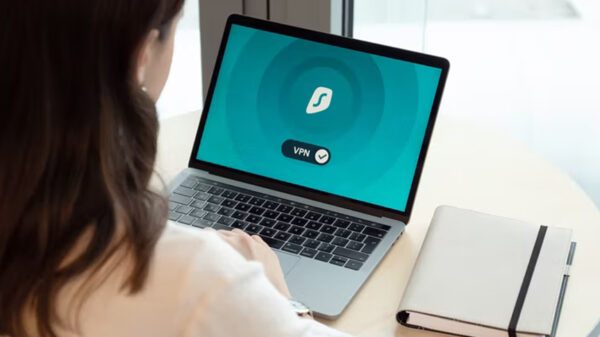
Using a VPN ensures that all data transferred between remote workers and the office network is encrypted and protected in transit. Plus, it makes it easier for employees to do their jobs.
5. Scan and secure email and establish healthy practice
Home working will likely lead to a big increase in email. Cybercriminals are wise to this and are using the coronavirus in phishing emails as a way to entice users to click on malicious links. Ensure email protection is up to date and raise awareness for phishing amongst employees.
6. Enable web filtering
Apply web filtering rules on devices to ensure users can only access content appropriate for ‘work’ while protecting them from malicious websites.
7. Enable use of cloud storage for files and data
Cloud storage enables people to still access their data if their device fails while working remotely. Don’t leave files and data in the cloud unprotected and accessible by anyone. At the very least, employees must successfully authenticate. Multifactor authentication takes that a step further.
8. Manage use of removable storage and other peripherals
Working from home may increase the chance of people connecting insecure devices to their work computer – therefore you should enable device control within your endpoint protection to manage this risk.
9. Control mobile devices
Mobile devices are susceptible to loss and theft. To lock or wipe them should this happen, implement application installation restrictions and a unified endpoint management solution to manage and protect mobile devices.
10. Make sure people have a way to report security issues
Give people a quick and easy way to report security issues, such as an easy-to-remember email address.
11. Make sure you know about shadow IT solutions
With large numbers of people working from home, shadow IT – where non-IT staff find their own technology to solve issues – will likely increase. Ensure users report use of such tools.