‘Tis the season for family and friends to slow down your home network. In today’s connected world, holiday visitors bring a collection of gadgets that require Internet – likely resulting in extremely slow Wi-Fi and unhappy guests. Many homes are plagued by slow speeds, bad reception and other Wi-Fi issues. Additionally, more consumers than ever – about 68 percent or 170 million – plan to purchase tech gifts this year. To spread holiday cheer and increase Wi-Fi speeds, D-Link is giving tech tips to ensure Wi-Fi performance is up to speed during the holidays and through the new year.
“New innovative gadgets, from smart home devices to gaming consoles, will likely result in the biggest holiday season yet for the tech sector,” said Oscar Reyes, vice president of marketing, D-Link. “Considering many households haven’t upgraded their routers in years, and the majority of gifts rely on a wireless network, now is the time to enhance home networks.”
In preparation for festive celebrations and gatherings, D-Link offers the following tips to supercharge your home network this holiday season:
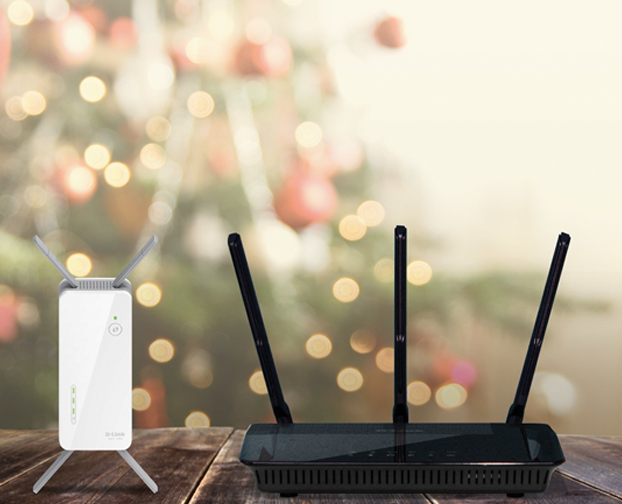
1. Start with Your Router: Aging routers, or those provided by Internet Service Providers (ISPs), do not always deliver the strongest performance – especially as households add more connected devices. To improve home Wi-Fi, consider upgrading to a router designed to provide maximum performance for gaming and streaming HD media.
2. Placement is Key: Ever tried to stream favorite shows in bed, but been annoyed by poor Wi-Fi signals? Position the wireless router strategically to ensure its operating at its full potential to enjoy a tech-friendly holiday.
- Keep it Central – Place the router in the most central location as possible. Try mounting the router on a wall, in a corner by the ceiling, or upstairs since radio waves typically spread out towards the ground.
- Play with the Antenna – Position the router’s antenna vertically for the signal to reach wide, so the antenna is standing straight up. Many antennas can be adjusted and lie horizontally, but standing straight up is generally the ideal position.
- Wireless Interference – Household items like Bluetooth devices, microwaves, TVs, and cordless phones are pumping out radio signals that can interfere with Wi-Fi network signals. If you have to put a router next to a microwave, upgrade.
3. Eliminate Dead Zones: Wireless dead zones have been around as long as Wi-Fi routers, especially in large homes. Buy routers – e.g. the D-Link AC2600 Wi-Fi Range Extender (DAP-1860) – that grabs a Wi-Fi connection and sends it to every corner of the increasingly connected home.
4. Create a Guest Wi-Fi Network: The last thing hosts want is guests bothering you all night for your Wi-Fi password. Instead, create a Guest Network that allows visitors to connect to a dedicated Wi-Fi network without affecting the devices on your private home network. Here’s how to do it.