Canon has introduced an application that allows you to easily and quickly share that perfectly shot photo to your friends on social media or transfer it to a smartphone.
With the CameraWindow App, Android or iOS phone users can transfer loads of photos taken with their NFC-enabled camera to their smartphone with ease. All they have to do is download the application to their NFC-enabled iOS or Android device, and start transferring.
But transferring those great shots is not the only thing this application has made easier for you. With CameraWindow, you can now perform remote shooting and control the shots from your smart device, which means your camera’s control functions such as the optical zoom, flash, self-timer, and shutter release can now be controlled through your compatible smart device. The images will then be saved to your camera.

Canon CameraWindow App
You can also have the option of adding a location name to your photos. The application makes it possible for you to add GPS information wirelessly to your images on your camera through recording GPS data on your smart devices – both iOS and Android. The Near Field Communication (NFC) Support is readily available, which makes launching the application faster. Simply touch the NFC icon on your camera and smart device.
While the CameraWindow app allows you to make transferring and viewing photos more convenient, Canon iMage Gateway (CiG), on the other hand, is the perfect partner for you if you are constantly out and about.
In just a snap, you can upload all those photos to some of the networks that we all love using – Facebook, Twitter, YouTube, Flickr, and Google Drive – just link your device to the network and CiG will do the rest. CiG also allows you to have your personal spot on the internet where all your photos and videos will be on display – because sometimes, special memories are not enough to be kept in a private album.
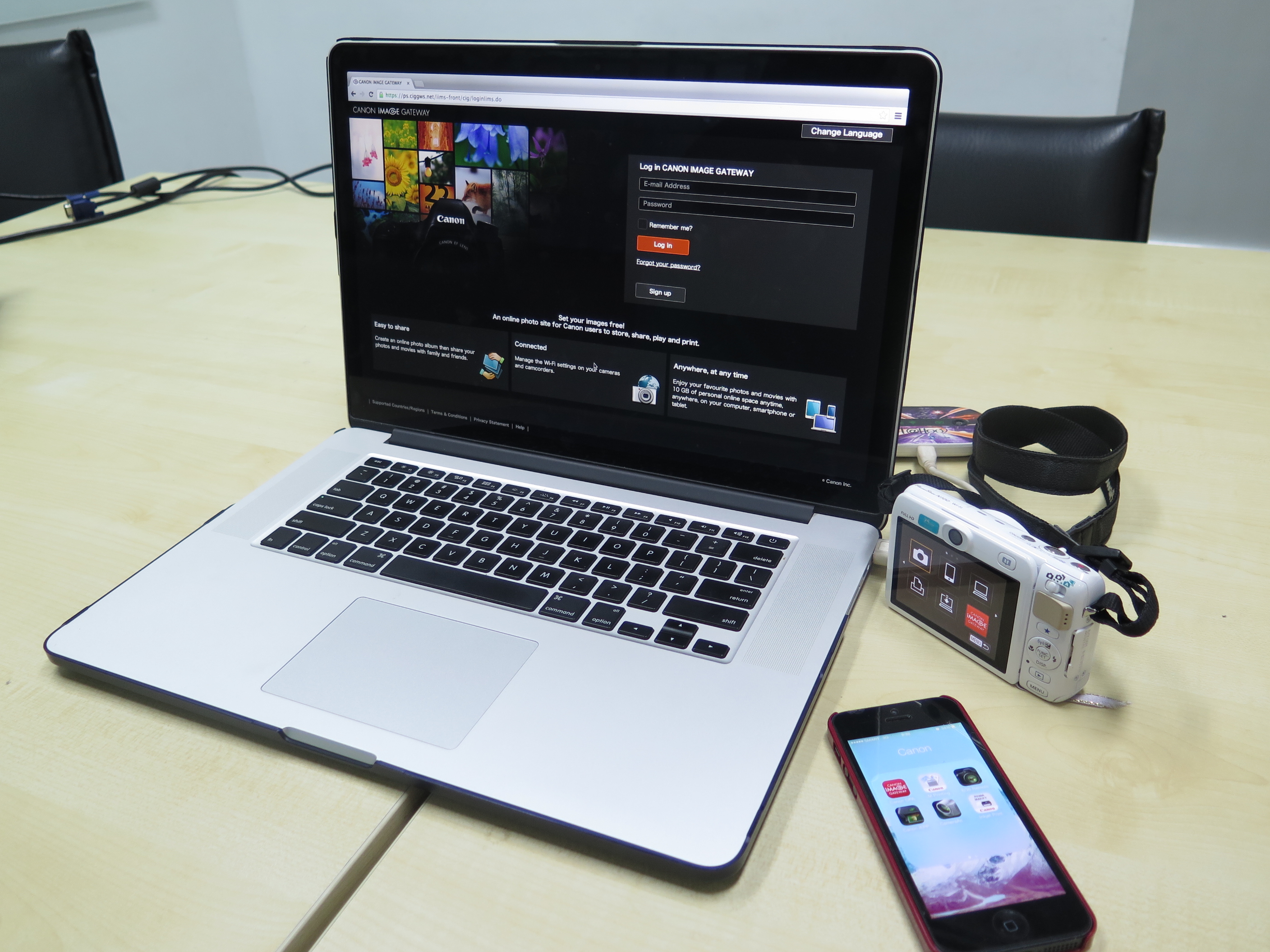
Transferring of photos using the CiG.
To create that online photo album, go to your camera’s link settings on your device and select the registered devices. Select either cloud or the globe icon, and enter the authentication code that will pop up on your camera, to your CiG page. It’s that simple and trouble-free.
You can get all the benefits of having a CiG account in just a few clicks. Simply visit www.canon.com.ph/cig to register. Make sure to confirm the registration by following the link that will be sent to your e-mail address, and afterwards register your camera’s serial number.