















































































To help the public understand the different terms used in cyber security, security experts from Kaspersky Lab break down some of the most common malicious software (malware) classifications below:
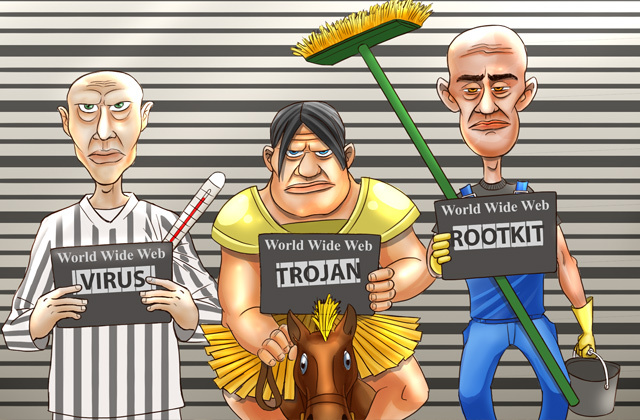
Virus
Simply speaking, computer viruses are a type of self-replicating program code that are installed onto existing programs without user consent. Their definitions can be broken down much further though, by the type of objects they are infecting, the methods they use to select their hosts, or the techniques used to attack.
Virus can appear in numerous forms as well, ranging anywhere from email attachments to malicious download links on the Internet, and can perform many harmful tasks on your OS.
Nowadays, viruses are quite rare because cybercriminals look to have more control over malware distribution, otherwise, new samples quickly fall into the hands of antivirus vendors.
 Worm
Worm
Worms are considered to be a subdivision of viruses since they are also self-replicating programs, however unlike viruses, they do not infect existing files.
Instead, worms are installed directly onto their victims’ computers in a single instance of “self standing” code, before finding opportunities to spread or tunnel themselves into other systems through things like the manipulation of vulnerable computer networks.
Worms, as with viruses, can also be defined further by breaking down the methods in which they infect, like through email, instant messaging or file sharing. Some worms exist as standalone files, while others reside in computer memory only.
Trojan
Quite opposite from viruses and worms, Trojans are non-replicating programs that pretend to be legitimate, but are actually designed to carry out harmful actions against their victims.
Trojans get their name from acting in the same manner as the infamous Greek Trojan horse, concealing themselves as useful programs while quietly carrying out their actual destructive functions.
Since Trojans are not self-replicating, they do not spread by themselves. But thanks to the increased scope of the Internet, it has become very easy for them to reach many users. They’ve also grown to now come in many forms, like Backdoor Trojans (which try to take over remote administration of their victims’ computers) and Trojan Downloaders (which install malicious code).
Ransomware
Ransomware is malware that is designed to extort money from its victims. It can appear as a pop up, phishing link, or malicious website, and once acted on, will trigger a vulnerability in the user’s system, locking out the keyboard and screen, and sometimes even the entire computer.
It’s intended to scam people by falsely accusing them of doing things like using pirated software or watching illegal videos, displaying warning pop ups, trying to make them act quickly by saying the warning message will only be removed if a fine is paid.
Rootkit
A rootkit is a special form of malware, designed specifically to hide its presence and actions from both the user and any existing protection software they have installed on their system.
It’s able to do this via deep integration with the operating system, sometimes even starting before the operating system does (this variety of rootkit has its own name, bootkits). Sophisticated antivirus software is still able to detect rootkits and get rid of them though.
Backdoor (RAT)
A Backdoor, or a Remote Administration Tool, is an application that allows a person (the system administrator or a cybercriminal) access to a computer system without user consent or knowledge.
Depending on the RAT functionality, an attacker could install and launch other software, send keystrokes, download or delete files, switch the microphone and/or camera on, or log computer activity and send it back to the attacker.
Downloader
These infections are small pieces of code that are used to quietly take executable files, or files that command your computer to perform indicated tasks, from the server.
Once downloaded, through things like email attachments and malicious images, they communicate back to a command server and are then instructed to download additional malware onto your system.
Familiarizing with existing malware is a great place to start when it comes to keeping your system safe. And always be sure you’re choosing a trusted antivirus to defend against possible attacks.