






















































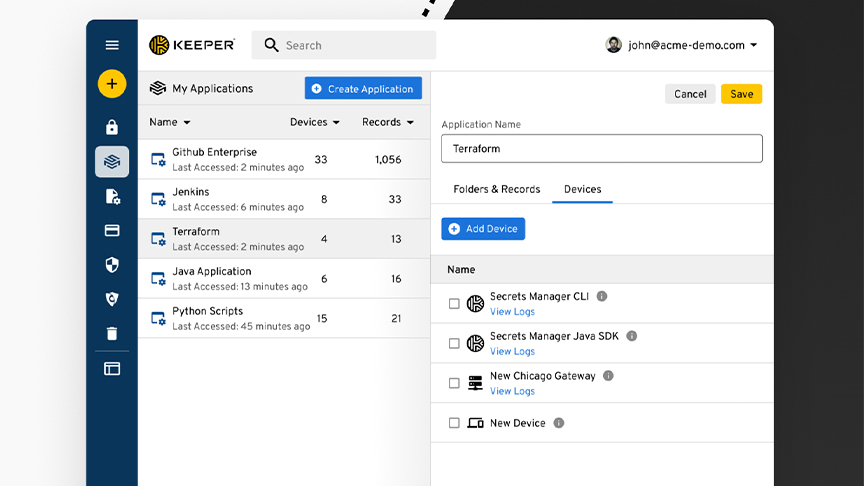
Keeper Security, provider of zero-trust and zero-knowledge cybersecurity software protecting passwords, privileged access, secrets and remote connections, today announces a series of significant new User Interface (UI) updates to its password management platform for a friendlier and more intuitive experience. Keeper’s upgraded user interface offers clearer distinctions between elements, as well as enhanced clarity and searchability, to improve the user experience and make it even easier to take advantage of Keeper’s powerful features.
“Our customers’ satisfaction with their user experience is a priority for us. We are fanatical about creating solutions that are as user-friendly as they are secure” said Keeper CEO and Co-Founder, Darren Guccione. “At Keeper, our design and product teams are constantly working to modernise Keeper’s cybersecurity products which ultimately unifies ease-of-use and world-class security.”
Keeper customers can expect an updated experience with this overhaul of the vault’s user interface – offering a fresh, updated look with modern styling for a welcoming and streamlined appeal. Highlights to the updated UI include:
● Friendlier Interface: Keeper’s streamlined UI will reduce grid lines and introduce cleaner colours and adjustable panes.
● Streamlined Usability: More efficient user workflows will reduce the number of clicks necessary to complete a task.
● Accessibility and Inclusion: Upgraded UI will provide colours, contrast, and font/icon sizes compliant with Web Content Accessibility Guidelines (WCAG) standards.
● Advanced Search: New, easy-to-use filters will enable users to search their Keeper Vaults with the utmost flexibility.
● Onboarding: The new onboarding wizard provides a more welcoming guided experience to setting up a user’s vault.
● Lost Records: Keeper will now show the shared folder name and record contents of all records that are deleted out of shared folders.
When customers log into Keeper, they will immediately notice a refreshed Web and Desktop Vault featuring the new, modern UI. Animated record and folder details are displayed for better clarity, legibility and modern style, and users will be able to customise their individual colours. Users can now enjoy improved vault organisation with modern interface elements such as modals, popups and dialogs – all improved to be equally functional and stylish. The interface will also display avatars with initials to allow teammates to quickly identify contacts when sharing records and folders.
As Keeper expands into larger markets, the number of folders and records in enterprise vaults has increased exponentially, with some customers having tens of thousands of record counts. To address this, Keeper will now offer advanced search capabilities to quickly pinpoint data in the vault. This search function will allow users to specify one or more search operators that can be used in combination to locate folders and records – while also allowing for granular searches that include specific values in specific record fields. Meanwhile, the brand new Keeper Quick Search feature will show recently viewed items and provide lightning fast results.
Also coming soon for Keeper’s users is a new fixed-sized browser extension, which will stay consistent from screen to screen, and replicate the Web Vault improvements on mobile devices. The browser extension provides a more spacious design, easier identification of key fields, useful settings and features with easy-to-find logos, and simple navigation with new layouts.
For mobile apps, the new UI will feature friendly elements that are easier to read and navigate on smaller screens. For iOS, Keeper users will benefit from performance improvements, faster speeds, and enhanced search results to easily find folders and their contents – even with tens of thousands of records. Android users will see cleaner themes with a new default Light Mode and revamped user-selected themes to match Keeper’s UI enhancements. Additional features include a navigation bar for quick access to important screens on the app and frictionless Multi-Factor Authentication (MFA) login.
Keeper is taking an incremental approach to improving the user experience, continuously enhancing the look, feel and usability of its applications, while staying mindful of the importance of familiarity, consistency and the world-class functionality and security that Keeper users are accustomed to.
For more information about Keeper’s password management platform and the new updates, please visit Keeper’s Documentation Portal and Release Notes.