




























































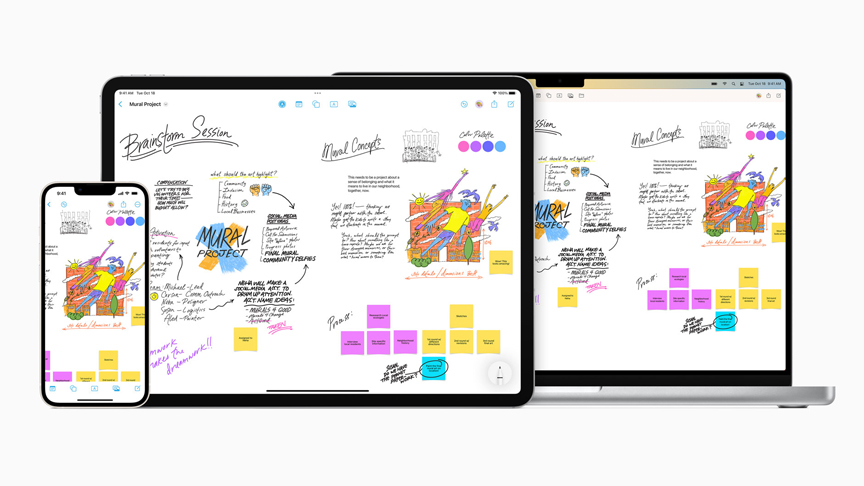
Freeform is an all-new app available starting today, included in the latest versions of iOS, iPadOS, and macOS. Freeform helps users organize and visually lay out content on a flexible canvas, giving them the ability to see, share, and collaborate all in one place without worrying about layouts or page sizes. Users can add a wide range of files and preview them inline without ever leaving the board. Designed for collaboration, Freeform makes it easier than ever to invite others to work on a board together. Users can even collaborate with others while on a FaceTime call. Freeform boards are stored in iCloud, so users can stay in sync across devices.
“Freeform opens up endless possibilities for iPhone, iPad, and Mac users to visually collaborate,” said Bob Borchers, Apple’s vice president of Worldwide Product Marketing. “With an infinite canvas, support for uploading a wide range of files, iCloud integration, and collaboration capabilities, Freeform creates a shared space for brainstorming that users can take anywhere.”
A Canvas Built for Creativity with Easy-to-Use Tools
Freeform is the perfect whiteboard experience for gathering inspiration and ideas all in one place. The infinite canvas expands as content is added to the board for unlimited flexibility when working with many files or collaborating with others. Users can seamlessly move around the board with support for built-in gestures.
The app offers a variety of brush styles and color options to sketch ideas, add comments, and draw diagrams. iPhone and iPad users can draw anywhere on the canvas with their finger, and with support for Apple Pencil, Freeform makes it easier than ever to sketch ideas on iPad while on the go.
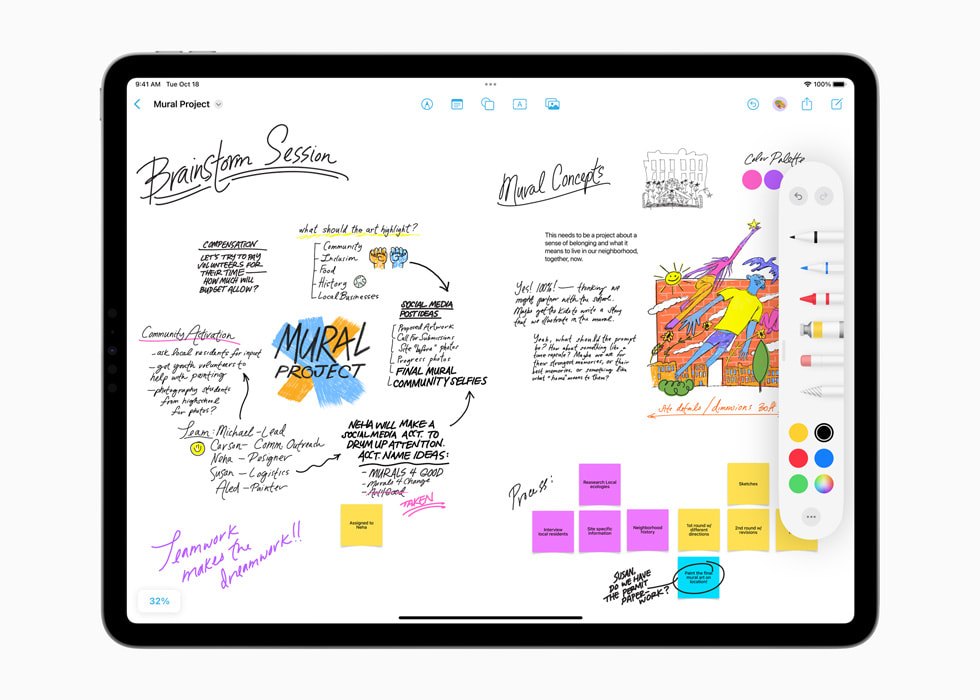
Freeform supports a wide range of files, including photos, video, audio, documents, PDFs, links to websites and map location links, sticky notes, shapes, diagrams, and more. iPhone and iPad cameras can even be used to insert an image or scanned doc directly into the board. With a full shapes library, Freeform gives users over 700 options to choose from, allowing users to change the color and size, add text, and even create personalized shapes.
Users can drag and drop content onto the board from other apps including Files and Finder, and with built-in alignment guides, it is easy to keep the board organized. With Quick Look, users can preview content with a double tap without ever leaving the board, and multiple video files can play at the same time to create a dynamic view. Content like images and PDFs can be locked into place on a board, and collaborators can then annotate on top of or around the object — making Freeform the perfect tool for sketching ideas on top of floor plans for a home renovation project, or for coaches to map out plays on an image of a basketball court.

A Collaboration Space
Whether a user is working at a desk or on the go, Freeform is incredibly useful for standalone projects or when collaborating with others. With the ability to work with up to 100 collaborators in the same board, Freeform creates a shared space for creativity when working on group projects or even planning a vacation with friends.
Freeform takes advantage of the new collaboration features in Messages, which lets users invite others to a Freeform board by simply dragging it into a Messages thread. All members of that thread will be automatically invited to the boards and can begin collaborating immediately. When someone makes an edit, activity updates will show up at the top of the Messages thread.
With FaceTime built right into the app, users can start a FaceTime call within Freeform by tapping the collaboration button at the top right of the screen. All collaborators can view others’ contributions as they add content or make edits with fast-sync capabilities and iCloud integration. Freeform boards are synced across iPhone, iPad, and Mac, and users can invite others via a link or email, and even export a board as a PDF or take a screenshot.

Availability
Starting today, Freeform comes free on every iPhone, iPad, and Mac supporting iOS 16.2, iPadOS 16.2, or macOS Ventura 13.1.