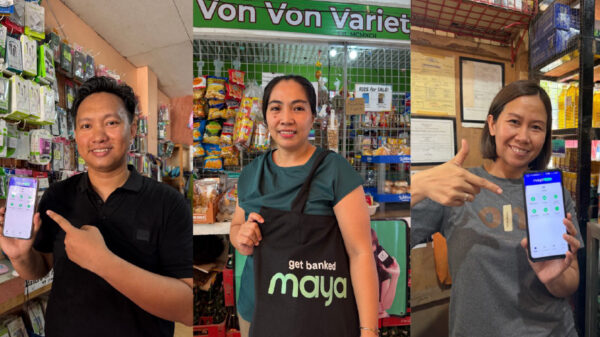
Maya, your all-in-one digital bank, rolls out a new, game-changing feature that lets you send and receive money with your very own username – another first-of-its-kind feature from the leading digital bank and fintech in the country.
This gives you options for more personalized, convenient, and safer money transfer transactions. Much like how you tag your family/friends on social media, you can use your @username when requesting payments – no need to memorize and input 11-digit mobile numbers. If you’re a small business owner, this feature can come in handy as you can easily set up your store name as your account username for an easier, hassle-free mode of payment!
With Maya’s username feature, you can also choose to keep your personal data private, such as your account name and mobile number. This feature is available for upgraded Maya app users – ensuring a secure experience for the Maya community.
“We’re excited to be the country’s first digital bank to launch this feature as we continue to help Filipinos master their money and enable meaningful personalization. It’s a game-changer for safety and making our experience with sending money more fun – especially when you attach a GIF to it!” said Pepe Torres, Chief Marketing Officer for Maya Philippines.
Maya has also partnered with Giphy to help you add a personal touch to your Send Money transactions. To make your send money transaction even cooler, you can even throw some GIF action in there! With over 10 billion GIFs, you’re sure to find one that can perfectly complement how you feel.
Setting up your Maya @username is easy. You simply need to:
- Tap the “Profile” icon on the upper-left corner and tap “Get Started.”
- Key in your preferred @username and hit “Confirm.”
- Finish off by keying in the One Time Password (OTP) sent via SMS.
Once you’ve registered your preferred @username, your friends can now use this to send money to your account with these easy steps:
- Tap “Send Money” on the Maya app
- Key in the recipient’s @username, input the amount to send, and tap “Continue.”
- Review the “Send Money” transaction details and tap “Send.”
- Wait for Maya’s confirmation via SMS.
A username is unique to each Maya account holder, so choose well! You can have the option to present your username or your mobile number registered to your Maya account whenever you want to receive money through Maya. In general, registration of usernames is on a first-come, first-served basis, and to ensure protection, Maya has provided guidelines for username registration here.
“Sending money via @username is just one of the innovative features which make money management with Maya more fun and rewarding. With up to 6% savings interest rate and free bitcoin or cashback offers, Maya is easily the most engaging and rewarding payments and banking platform for your money,” Torres added.
Maya packs a feature-rich e-wallet, an inclusive digital bank, and everything else you need to save, spend, grow, and manage your money—right from your smartphone.
Want to flex your Maya @username to your friends and family? Register to Maya now and get a joining bonus of P20 plus an additional P40 when you upgrade and do your first transaction until November 30, 2022.
For more information and updates from the country’s all-in-one money platform, visit maya.ph.