























































ESET shares five good questions that company owners and decision makers should ask themselves before buying encryption.
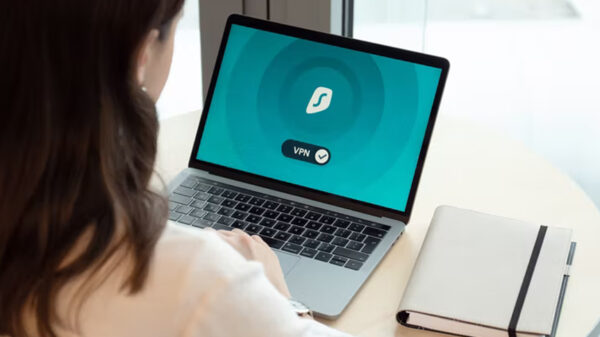
 IMAGE FROM PEXELS.COM
General Data Protection Regulation (GDPR) together with growing number of data breaches are the most pressing reasons why small and medium businesses are implementing data protection technologies — including encryption. With the limited time and market flooded by various products, it can be a difficult task for company owners and decision makers to find the right fit for their needs.
If you are faced with the decision yourself, avoid pitfalls in selecting an encryption product by asking the following questions:
1. Which laptops present the biggest risk; on-site or off-site?
This might seem like a pointless question with an obvious answer; systems are more liable to loss or theft when away from the office, but making this distinction and keeping it in mind is the right place to start and when you have settled on a solution, be sure to test its effectiveness at managing problem scenarios for your remote users.
2. Does the system offer full remote control of off-site endpoint encryption that fits your IT department?
All major Endpoint Encryption products offer the means to manage remote systems, but look carefully at the requirements. Most need either an open incoming connection to a demilitarized zone (DMZ) on your Server, or a VPN connection. All involve a higher level of IT skills and additional costs and may require the user to initiate the connection to function; not much use with a rogue employee or stolen laptop. A well-designed product will give you the remote management necessary without creating additional security problems, requiring specialist knowledge or adding expense to the project.
Why is this important?
Being able to quickly vary security policy, encryption keys, features and operation of endpoint encryption remotely, means that your default policy can be strong and tight. Exceptions can be made only when and where they are needed, and reverted just as easily. If you can’t do this you’ll be forced to leave ‘a key under the doormat’ – just in case, tearing holes in your policy before deployment is complete.
3. Does the solution allow you to remotely lock or wipe keys from laptops?
The answer might be crucial if a company computer with full-disk encryption gets stolen while in sleep mode or with operating system booted up, not to mention those systems with the pre-boot password affixed on a label or tucked in the laptop bag. If a remote lock or wipe function is not available, then the system is either unprotected or secured only by the OS password, with the encryption being bypassed in either case.
Similarly, it is important to know whether the solution has been designed to accommodate the typical use-cases that would otherwise unravel a well-designed security policy.
4. Does the solution secure removable media without having to whitelist each item?
With an array of writeable devices that people use for their everyday work, it is almost impossible for the admins to whitelist each and every one of them and decide if they can be read from or written to.
It is much easier to set a file-level policy — distinguishing between files that need encryption and those that don’t — and keep these protected every time they move from workstation or corporate network to any portable device.
In other words, if you connect your own USB stick, it won’t force you to encrypt your private data, however anything coming from the company system will be encrypted without the keys being held on your device. A simple idea, but one which makes any device safe, without the need for whitelisting.
5. Is the solution easy to deploy?
If the setup of the solution takes hours or even days and needs additional tools for its operation, it might cause new headaches for company admins and create new security risks. Aim for an easy-to-deploy solution that doesn’t require advanced IT expertise, preserving your finances as well as human resources. If the user-experience mirrors that easy deployment, then IT staff won’t be further taxed by user-lockouts, lost data and other frustrations.
Closing remarks: The security was there a long time ago; what will make or break your deployment is flexibility and ease of use.
All validated, commercial encryption products have been more than strong enough for many years, yet a significant proportion of the recorded data breaches involving lost or stolen laptops and USB drives happened to organizations who had bought and deployed encryption products. Reading the case notes for these incidents reveals being able to fit the solution your environment and working practices and making encryption easy for everyday users as the real challenges.