By Mikee dela Cruz
Pros
ThinkPad design and construction
Way COOL keyboard
Sturdy hinge
Cons
So-so battery life
Lacks full vPro support
No stylus support
When companies were still experimenting with laptops that doubled as tablets, I had the (mis)fortune of owning Lenovo’s IdeaPad s10-3t, a convertible Netbook tablet priced (in 2010, at a staggering $549) to compete with the iPad. Don’t get me wrong, since it somewhat served its purpose – I was, after all, able to do small presentations using its (at times laggy) touchscreen capability; though, in hindsight, that seemed to be the only purpose it served me. It was, as another tech writer said, “the tablet without the tablet capability” – and (considering I had to even ask a friend to buy it for me all the way from the US) I had to grudgingly agree with him.
While I understand that companies were still experimenting with tablets in those days (no matter that it was only three years ago), the experience still left me somewhat cold when dealing with convertibles.
And so I was, admittedly, apprehensive in considering Lenovo’s ThinkPad Twist S230u.
DESIGN
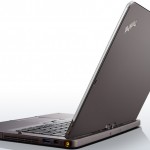
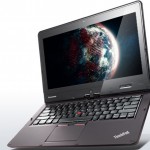
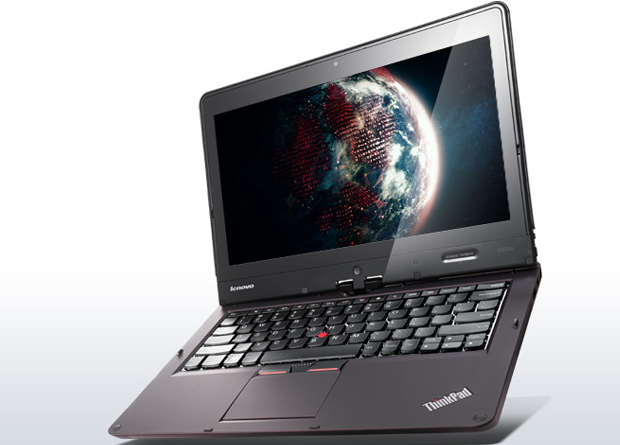
This is an ultrabook – and that means “thin”, with a capital “T”. But, as this is also a ThinkPad, (almost) everything needed is, well, there, no matter the size.
I, personally, am not the biggest fan of the matte-black rubberized finish – it reminds me so much of my black HTC One X, which – when held with wet/sweaty hands – emphasizes how wet/sweaty the handler is. Black is NOT always sexy, I tell you… But then again, ThinkPad’s made an image using this finish, so…
The screen measures 12.5 inches, using edge-to-edge Gorilla Glass – but there’s plastic that seemingly “frames” the screen, which is somewhat bothersome for me, as it reminded me of (of all things!) a digital album. The screen itself is a five-point touchscreen with a resolution of 1,366 by 768 pixels (125ppi) – sharp enough depending on the viewing angle, though if you look too closely you’d see the oh-so-unsexy pixilating.
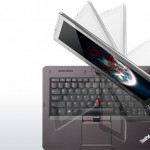
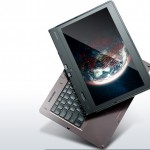
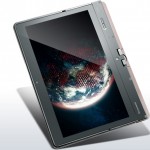
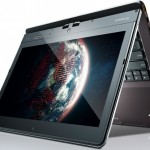
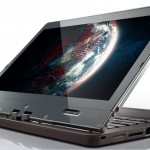
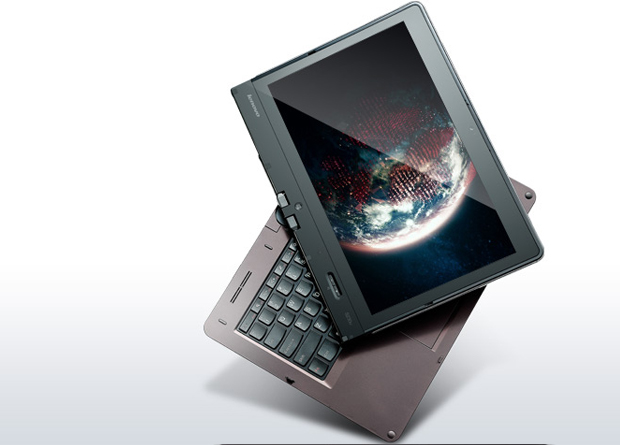
As its name suggests (i.e. Twist), you can twist the screen 180 degrees clockwise (in case someone dumb borrowed your unit and didn’t know which way to twist, a small arrow just under the screen provides the direction for twisting) to face away from the keyboard. As a tablet, though, this is chunky. The unit’s flexibility allows it to also be used in “tent” mode – that is, while on tablet mode, slowly opening the display by several inches, thereby enabling it to stand. Should you need it, an autorotation on and off button is available on the bottom right-hand side of the lid, above the power button.
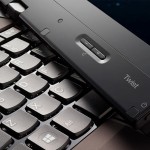
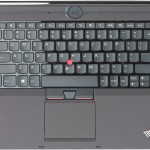
The Twist’s keyboard is just as you’d expect from a ThinkPad – well-considered, complete with the red TrackPoint between the G,H and B keys (that has its loyal following), though there’s also a large touchpad if you are not into that, as well as a trio of mouse buttons below the keyboard.
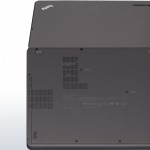
You can find a media card reader, a full-size RJ-45 Ethernet port, a Mini-HDMI port, a USB 3.0 port and an audio-out jack on the left-hand side of the unit; while the power input, a Mini-DisplayPort connector, a second USB 3.0 port and the hard drive removal door are on the right-hand side.
If, like me, you’re still continuing to adjust to Windows 8 (always reaching for that “back” button…), Twist has a physical Windows 8 button on the lid, in the very middle, right under the screen.
And for those Webchats, there’s a 720p webcam above, and two noise-cancelling microphones.
FEATURES
The Twist can be powered by a 1.8GHz Core i3 (3217U), a 1.7-2.6GHz Intel Core i5 (3317U) – our review unit – or a 1.9-3.0GHz Core i7 (3517U) processor, and it uses the HM77 Express chipset. It also comes with Lenovo Solutions for Small Business (or LSSB), a package that allows users (ideally, the admin) to perform everything from backups to restore to software updates to… well, we already said “everything”. Theoretically, this makes life simpler, considering the “one-stop” concept.
Providing wireless connectivity is Intel’s Centrino Wireless-N 2230 module that supports single-band 802.11b/g/n Wi-Fi and Bluetooth 4.0.
SPEAKERS
The ThinkPad Twist (only) boasts dual 1 W speakers, with the audio emanating from underneath the keyboard. So, no, don’t expect the DOLBY Sound-like quality you may want. But – to be completely honest – I watched a flick, and it didn’t sound all that bad at all.
BATTERY LIFE
The ThinkPad Twist is powered by an 8-cell Li-ion battery rated at 42.4 watt-hours (Wh). Check Lenovo’s website, and they claim that the battery can last for up to six hours. The battery is non-removable, so there’s no option to fit a second battery.
But let’s be blunt here: the ThinkPad Twist is but a moderate performer. Day-in to day-out meetings are, therefore, out; ditto long-lasting gaming. But if you don’t mind being always plugged in, well… the six hours should be good enough.
A drawback of being always plugged in? The ThinkPad Twist becomes noticeably warm.
CONCLUSION
The ThinkPad Twist is – surprisingly for me – not all that bad (considering my earlier mentioned somewhat so-so, if not actually traumatic, experience with Lenovo’s IdeaPad s10-3t convertible Netbook tablet). But – and let’s be completely honest here – this isn’t the perfect replacement to your superpowered laptop. It is but a good substitute, somehow – that much can be said.
Yes, its build quality is good (it’s a ThinkPad, after all).
Yes, you end up not only having an ultrabook, but also a (albeit somewhat bulky) tablet.
Yes, there are business-friendly features.
In the end…
If you have the budget, you may as well grab Lenovo’s own IdeaPad Yoga 13 (laptop cum tablet, too).
Otherwise, if you’re budget-conscious, this one should suffice.