

































































It’s one thing to deliver a clean report. It’s another to deliver three slightly different versions of the same data because clients, execs, and team leads all want their preferred view.
Hours vanish into formatting slides and tweaking charts. Meanwhile, your teams lose momentum as real issues go unnoticed.
This article explores how to align every stakeholder without rebuilding data week after week. A remote employee productivity monitoring platform gives you live visibility and automates updates so you can protect client trust and drive team output where it matters most.
How Manual Reporting Keeps Teams & Stakeholders Out of Sync
When performance isn’t visible in one place, reporting starts eating into remote and hybrid teams’ focus. Small updates turn into repeated cycles of reformatting and follow-ups, pulling you away from the work that drives results.
Even senior executives are making stakeholder alignment a top priority. Nearly 60% of them say it’s in their CEOs’ top three focus areas. For operations leaders, this means showing alignment with live data isn’t optional – it’s expected.
Here’s where reporting starts breaking alignment:
• Stakeholders Ask for Custom Updates: Each group wants a different cut of the same numbers, and you’re stuck creating them all.
• Teams Lose Focus While You Rebuild Data: Instead of coaching, you format reports to keep others happy.
• Real Issues Get Buried in Reporting Cycles: KPIs dip, but you don’t see the trend until it’s too late.
• Remote Setups Magnify the Gaps: You’re left guessing if the time logged matches productive work.
5 Ways to Align Stakeholders Without Rebuilding Data
Switching from manual updates to shared, live visibility keeps stakeholders aligned and gives your team space to stay productive.
Here’s how to replace reporting loops with smarter alignment:
1. Share Dashboards to Streamline Updates
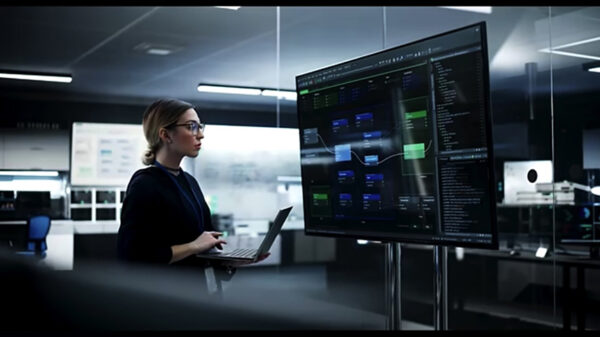
Shared dashboards pull all your numbers into one place and let every stakeholder see the performance live. You don’t have to send spreadsheets or adjust charts anymore. Clients, executives, and team leads can log in and see the data on their own.
This approach saves hours every week. Stakeholders get what they need in real time, and your reporting cycles finally stop eating into operational focus.
Set clear role-based access controls to manage what each group sees. Clients get SLA compliance and utilization data. Team leads access agent-level insights for coaching and redistribution. You keep sensitive internal details out of view while still offering full transparency.
How can a virtual productivity tracking engine cut reporting cycles and protect team focus?
A virtual productivity tracking engine gives stakeholders direct access to live KPIs, so you’re no longer stuck rebuilding reports for every request. If clients want to check utilization midweek, they can log in and see it themselves instead of waiting for you to pull the numbers.

Photo by Austin Distel from Unsplash.com
2. Automate Proof-of-Work for Stakeholder Trust
Pulling together screenshots or usage logs by hand doesn’t scale. A tool can show that the hours you bill match the work your team actually did, so you don’t have to check everything yourself.
Activity tracking runs in the background and captures key details like app usage, task focus, and attendance. You can create reports anytime to show clients the work is getting done. This builds trust and reduces complaints about team activity.
Schedule these reports to send automatically at agreed intervals, such as daily updates for internal use and weekly summaries for clients. This automation protects your time and removes friction from stakeholder conversations.
How can remote team productivity intelligence tools give stakeholders proof without extra reporting?
A remote team productivity intelligence tool automates proof-of-work by pulling activity summaries together for you. A client asking for proof of project hours can get a prebuilt report showing time spent on key apps and tasks with no manual effort on your part.
3. Use Role-Specific Views for Live Team Visibility
In remote setups, it’s hard to know if time logged actually reflects productive work. Generic reports make this worse because they bury the details you need to see who’s working and where attention is slipping.
Role-specific, live dashboards show each group the data they need in real time. Team leads can check if agents are working on priority tasks. Clients can see if SLA targets are met without reading long reports.
Set up these live views so every group stays aligned without asking for status updates. This reduces back-and-forth and helps you act on issues before they affect SLA performance.
How can digital nomad productivity software improve team visibility in remote setups?
Digital nomad productivity software shows who is working in real time. Team leads can see if agents are inactive and send a quick message to get them back on task. At the same time, clients can check dashboards to confirm progress without waiting for updates.
4. Respond in Real Time With Alerts
End-of-day reports tell you what already went wrong. Real-time alerts let you step in early, before missed logins or extended idle time knock KPIs off track.
Set alerts for key issues like low occupancy, missed schedules, or long periods of idle time. These notifications let team leads redistribute workload immediately and keep shifts on target.
Balance your alerts carefully. Too many alerts can be distracting, but the right settings give you useful warnings to keep SLAs on track.
How can a workforce intelligence platform help you fix problems before SLAs slip?
Insightful’s workforce intelligence platform sends instant alerts when team activity drops below set thresholds. If agents miss logins during a shift, you get a quick alert and can ask team leads to cover the gaps before SLAs slip.
5. Keep Stakeholders Aligned With Smart Tools
A monitoring tool gives stakeholders live access to the data they need and stops you from creating the same report over and over. With shared visibility in place, you can keep teams productive and focus on hitting performance goals.
Here is how a monitoring tool helps align stakeholders and protect team focus:
• Live Dashboards: Keep stakeholders updated without reworking data.
• Proof-of-Work Reports: Build confidence with verifiable activity logs.
• Role-Based Access Controls: Offer tailored views for clients and internal leads.
• Real-Time Alerts: Flag risks so you can act before they hit KPIs.
Conclusion
Aligning stakeholders around live data keeps your reporting lean and your teams focused on performance. A monitoring platform makes this shift seamless by automating updates and surfacing insights in real time. This means you make faster decisions, keep clients happy, and keep work on track without extra effort.