




















































































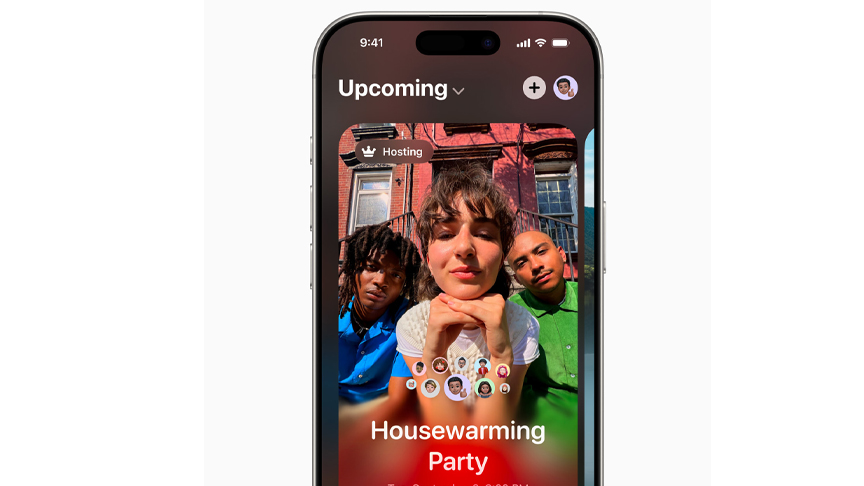
Apple introduced Apple Invites, a new app for iPhone that helps users create custom invitations to gather friends and family for any occasion.
With Apple Invites, users can create and easily share invitations, RSVP, contribute to Shared Albums, and engage with Apple Music playlists. Starting today, users can download Apple Invites from the App Store, or access it on the web through icloud.com/invites. iCloud+ subscribers can create invitations, and anyone can RSVP, regardless of whether they have an Apple Account or Apple device.
“With Apple Invites, an event comes to life from the moment the invitation is created, and users can share lasting memories even after they get together,” said Brent Chiu-Watson, Apple’s senior director of Worldwide Product Marketing for Apps and iCloud. “Apple Invites brings together capabilities our users already know and love across iPhone, iCloud, and Apple Music, making it easy to plan special events.”
Beautiful Invitations That Create and Capture Shared Moments
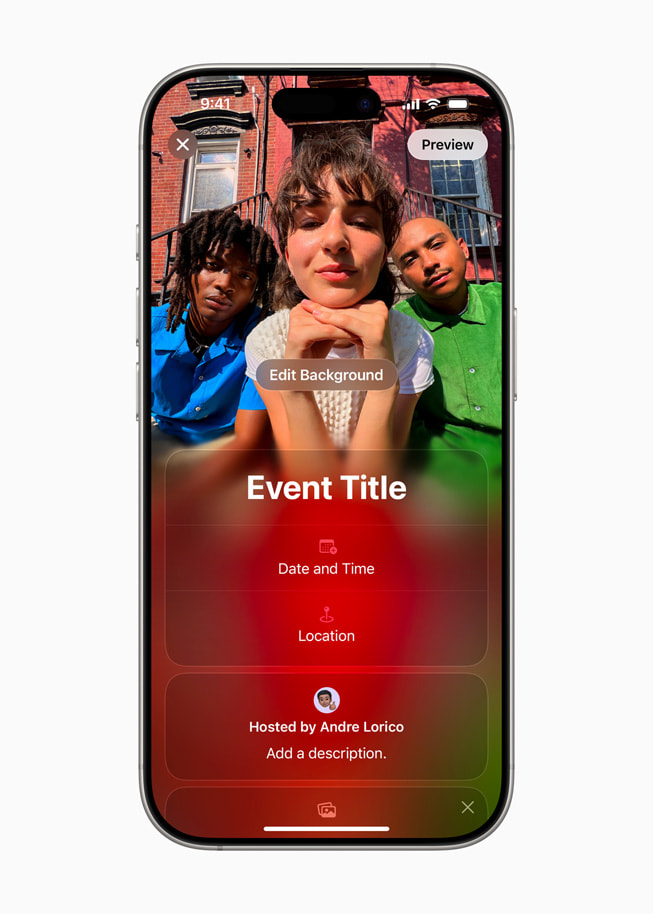
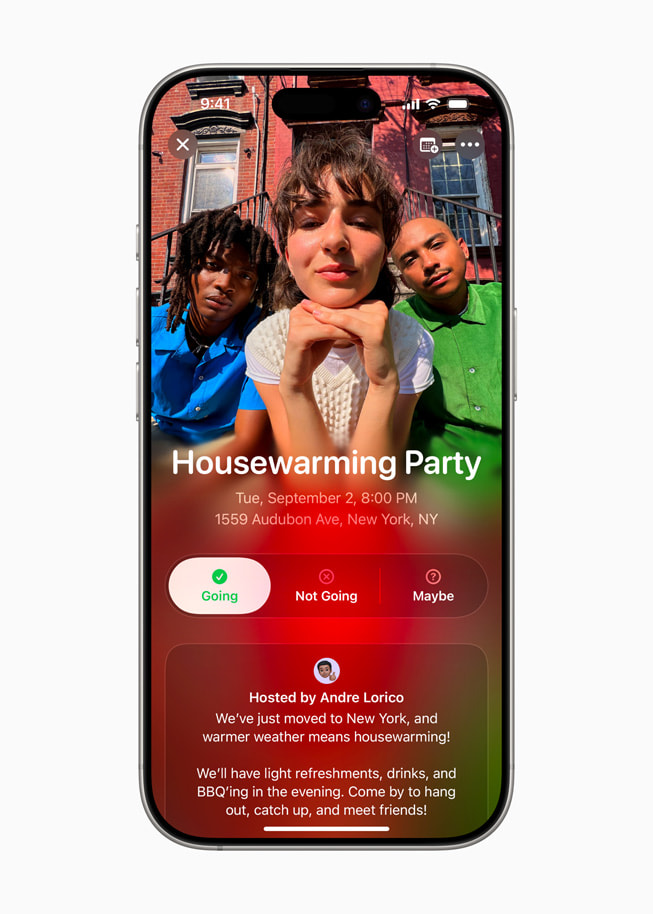
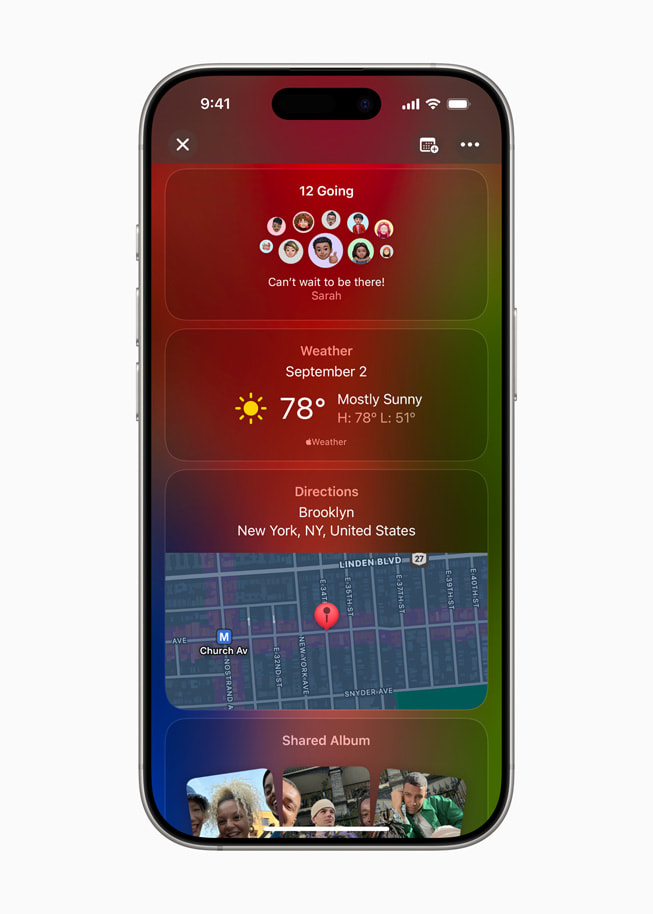
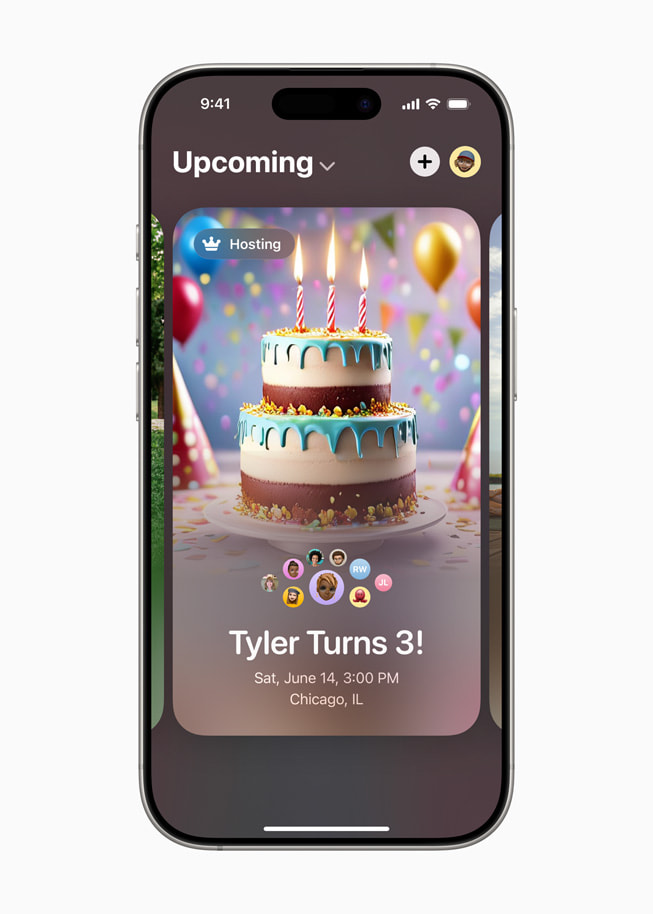
To get started with Apple Invites, users can choose an image from their photo library or from the app’s gallery of backgrounds — a curated collection of images representing different occasions and event themes. Integrations with Maps and Weather give guests directions to the event and the forecast for that day.
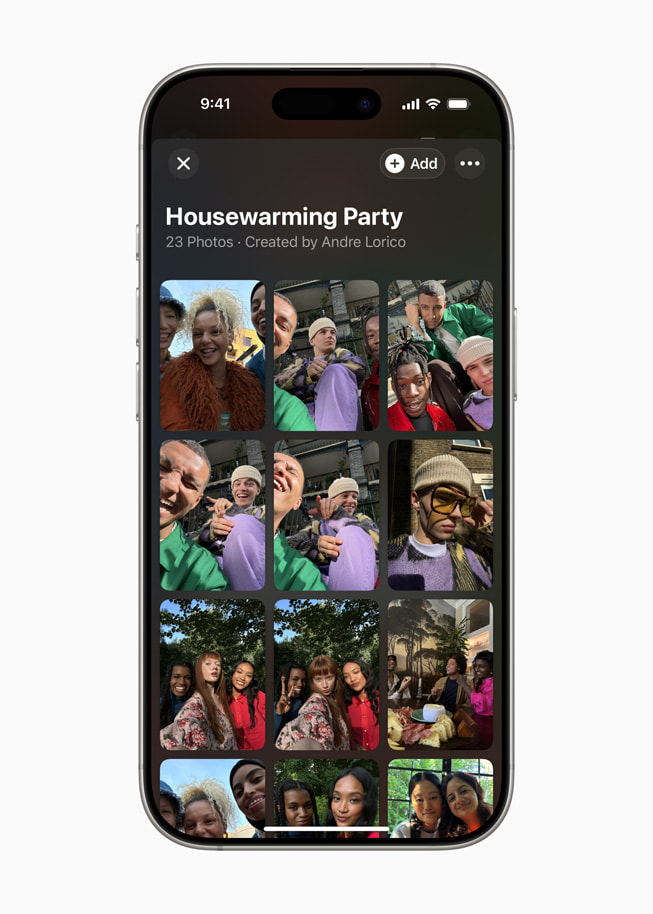
Additionally, participants can easily contribute photos and videos to a dedicated Shared Album within each invite to help preserve memories and relive the event. And collaborative playlists allow Apple Music subscribers to create a curated event soundtrack that guests can access right from Apple Invites.
Apple Intelligence Makes Invites Even More Fun
With Apple Intelligence, creating unique event invitations is easy. Users can tap in to the built-in Image Playground experience to produce original images using concepts, descriptions, and people from their photo library. And when composing invitations, users can use Writing Tools to help find just the right turn of phrase to meet the moment.
Simple Ways to Manage and Join Events
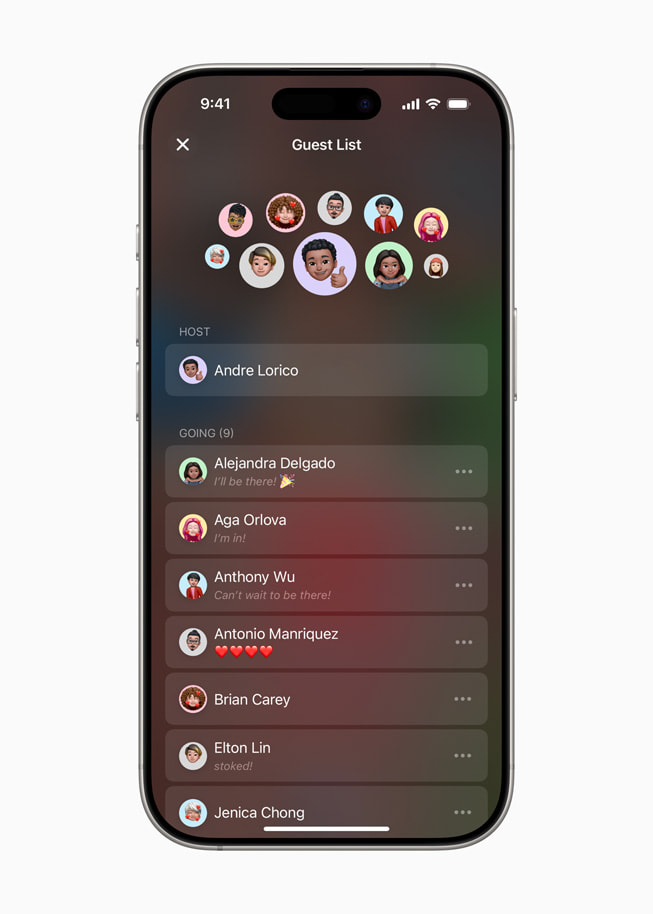
Hosts get full control of their invite experience: They can easily view and manage their events, share invitations with a link, review RSVPs, and choose the details they want included in the preview, like the event background or a home address. Guests can view and respond to an invitation using the new iPhone app or on the web without needing an iCloud+ subscription or an Apple Account. Attendees control how their details show up to others, and have the ability to leave or report an event at any time.
Additional iCloud+ Premium Features
In addition to event creation in Apple Invites, iCloud+ subscribers have access to many more premium features:
- Expanded storage allows users to keep large libraries of original, high-resolution photos, videos, and files safe in iCloud, and easily accessible across all of their devices and the web.
- Private Relay keeps browsing in Safari entirely private from network providers, websites, and even Apple.
- Hide My Email generates unique, random email addresses whenever needed.
- HomeKit Secure Video allows users to capture and review home security footage in an end-to-end encrypted format.
- Custom email domains enable users to personalize their iCloud email address.
- Family Sharing allows users to share their iCloud+ subscription with up to five people at no extra cost.